Customer details get entered again
A form, CRM and business software may describe the same customer differently. Before connecting them, we need a clear way to match the records.
SYSTEM INTEGRATIONS & AUTOMATION
When customer records, orders and documents move between applications by hand, the next step depends on someone remembering. I help connect existing systems so agreed data and events can trigger the right action.
WHY START NOW?
Electrification changed how work could be organised. A practical question today follows the same pattern: how can your CRM, ERP, calendar and AI work with the right shared information? If data still moves between them by hand, begin with a connection that removes one recurring task.
Eurostat reports that 20% of EU enterprises with at least ten employees used AI in 2025, up from 13.5% in 2024. Adoption is already under way. Eurostat, 2025 ↗
Choose your first stepWHERE THE WORK GETS STUCK
A form, CRM and business software may describe the same customer differently. Before connecting them, we need a clear way to match the records.
A status change can create a task, notification or update in another system. Ownership and the trigger need to be clearly defined.
An AI result becomes useful when it reaches the right workflow: a classification in the CRM, extracted data alongside a document, or a reply draft for review.
EXAMPLE WORKFLOW
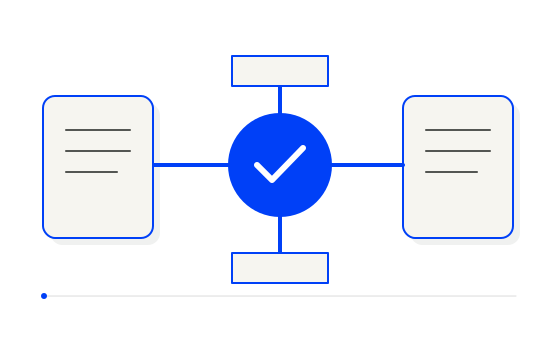
An enquiry, document or status change.
A shared identifier and the fields needed.
A rule or an assisting AI step.
A record, task or notification.
YOUR EXISTING SYSTEMS
I check APIs, webhooks, imports, exports and access permissions. A connection may react to events or run at agreed intervals. Some applications have no ready-made connector; we then assess whether a custom integration or file exchange makes sense.
We agree on the authoritative source for each piece of information. Duplicate records, repeated requests, missing fields and connection failures need attention. The pilot covers normal work as well as those exceptions.
REAL WORK & A PRACTICAL EXAMPLE
Invoice information arrives through email and files. Transactions and the information accounting needs must connect to the same documents.
InvoiceFlow connects invoice collection, OCR and AI data extraction, bank transaction matching and the handover to accounting.
Users define the boundary between autonomous work and human review. Operators can review invoices with keyboard shortcuts, and the system learns from their choices.
AUTOMATION & HUMAN DECISIONS
Connecting systems does not automatically give every action permission to run. AI can prepare a message or data change while sending or approval stays with a person.
Access, data requirements and recovery are part of the scope. If a connection fails or an input does not fit, someone needs to know what happened and how the work continues.
SCOPE & HOW PRICING WORKS
We can start with one data flow between two systems. We define the input, destination fields, trigger, permissions and acceptance checks. That makes the work testable.
Price depends on the systems, connection options, data preparation, exceptions and need for AI. We review licences and service costs separately, then agree on price and timing before building.
BEFORE WE START
It depends on the actual APIs, export options, licence and permissions. I check those before committing to a solution.
I look at the existing tools first. Replacement may be justified, but it is not an automatic requirement for integration.
No. A well-defined exchange can use conventional automation. AI may help with interpreting or classifying text.
Describe the applications you use and one task you repeat between them. That is enough for a useful first conversation.
Let’s talk about connecting your systems